Raspberry Pi 5
Initial Configuration
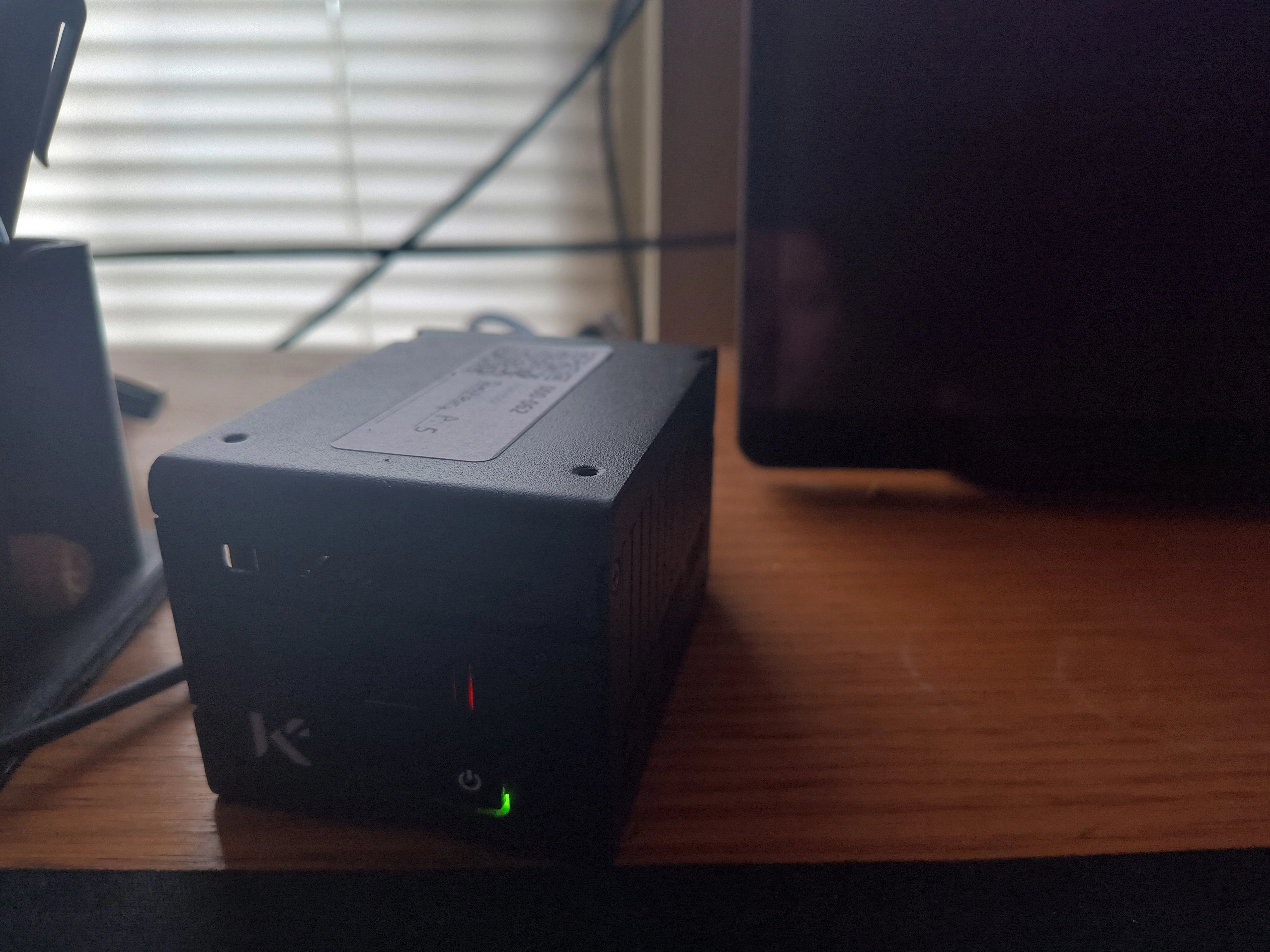
This is a Raspberry Pi 5 that I setup to have access to tools no matter which network I attach it to. The Raspberry Pi is the 8GB model and I used a PoE hat that included the SSD slot.
The first thing that I did was use Raspberry Pi Imager and image a nvme SSD with the Lite Raspberry Pi Linux. I added my SSH settings into the image during the flashing process. This ensured that once I had the IP address, I could connect remotely to it without every hooking up a monitor or keyboard.
The second thing was to install Tailscale. Any VPN solution would work, but I have been using Tailscale for my home lab for a while now and like how easy it is to configure. After installing Tailscale, the following commands allowed me to connect and expose SSH to my Tailnet (Tailscale network).
sudo tailscale up --ssh
sudo systemctl enable tailscaled
sudo tailscale set --operator=$USER
The first command connects and exposes SSH. The second command sets the Tailscale service (tailscaled) to start at boot. The third command is to allow the current user SSH access. The default setup for Tailscale is only to allow root SSH access. Now once I plug the Raspberry Pi into a network and it pulls a DHCP address, I will have a remote connection to it over my Tailnet. As long as Tailscale would work on the network, I will have SSH access to it.
Then I add some tools. I could just flash a Kali image onto the Raspberry Pi, but I don’t want the operating system to be detected as Kali. The first reason is because I will use this box as a troubleshooting tool and I don’t want it be be identified as an intrusion. The second reason is the same, but I don’t want it to be fingerprinted if I am doing offensive work.
Tools
Prerequisites
Go
sudo apt install golang-go
echo 'export PATH=$PATH:~/go/bin' >> ~/.bashrc
source ~/.bashrc
Network Scanning & Discovery
nmap - Industry-standard network scanner for host discovery, port scanning, OS detection, and service enumeration
sudo apt install nmaprustscan - Blazingly fast modern port scanner that feeds results to nmap
# Install Rust if you haven't already
curl --proto '=https' --tlsv1.2 -sSf https://sh.rustup.rs | sh
source "$HOME/.cargo/env"

# Install RustScan via cargo
cargo install rustscan
masscan - Ultra-fast port scanner for large-scale network scanning
sudo apt install masscanarp-scan - Fast ARP-based local network device discovery
sudo apt install arp-scanfping - Parallel ICMP echo probe tool for fast host checking
sudo apt install fpinghping3 - TCP/IP packet crafting and network testing tool
sudo apt install hping3snmp / snmpwalk - Query remote systems via SNMP protocol
sudo apt install snmp snmp-mibs-downloaderNetwork Traffic Analysis & Monitoring
tcpdump - Powerful CLI packet capture and analysis tool
sudo apt install tcpdumptshark - Wireshark’s CLI for detailed packet analysis with filtering
sudo apt install tsharkbettercap - Modern network attack and monitoring framework
sudo apt install bettercapNetwork Performance Testing
iperf3 - Standard tool for measuring TCP/UDP bandwidth between hosts
sudo apt install iperf3mtr - Combined ping and traceroute with real-time statistics
sudo apt install mtrSecurity Testing & Vulnerability Scanning
nuclei - Modern, fast vulnerability scanner with extensive template library
wget https://github.com/projectdiscovery/nuclei/releases/download/v3.3.6/nuclei_3.3.6_linux_arm64.zip
unzip nuclei_3.3.6_linux_arm64.zip
sudo mv nuclei /usr/local/bin/
sudo chmod +x /usr/local/bin/nuclei
nikto - Classic web server vulnerability scanner (older but still useful)
sudo apt install niktowpscan - WordPress security scanner and vulnerability database
sudo apt install ruby ruby-dev libcurl4-openssl-dev make zlib1g-dev
sudo gem install wpscan
sqlmap - Automatic SQL injection detection and exploitation tool
sudo apt install sqlmaphydra - Fast network login brute-forcer supporting many protocols
sudo apt install hydraffuf - Modern, fast web fuzzer for directory/file discovery and fuzzing
sudo apt install ffufferoxbuster - Fast, recursive content discovery tool written in Rust
wget https://github.com/epi052/feroxbuster/releases/download/v2.10.4/feroxbuster_arm64.deb.zip
unzip feroxbuster_arm64.deb.zip
sudo dpkg -i feroxbuster_*_arm64.deb
gobuster - Fast directory/file & DNS enumeration tool
sudo apt install gobusternetexec - Swiss army knife for pentesting networks (replaces CrackMapExec)
# Install Rust
curl --proto '=https' --tlsv1.2 -sSf https://sh.rustup.rs | sh
source "$HOME/.cargo/env"

sudo apt install -y build-essential libssl-dev libffi-dev python3-dev pipx
pipx install git+https://github.com/Pennyw0rth/NetExec
impacket-scripts - Essential collection of Python scripts for network protocols
sudo apt install python3-impacketenum4linux-ng - Modern Python rewrite of enum4linux for Windows/Samba enumeration
sudo apt install git smbclient python3-ldap3 python3-yaml python3-impacket
git clone https://github.com/cddmp/enum4linux-ng.git
cd enum4linux-ng
sudo chmod +x enum4linux-ng.py
sudo cp enum4linux-ng.py /usr/local/bin/enum4linux-ng
responder - LLMNR, NBT-NS and MDNS poisoner for credential harvesting
sudo apt install git python3-pip python3-aioquic python3-netifaces
git clone https://github.com/lgandx/Responder.git
cd Responder
sudo chmod +x Responder.py

# Create wrapper script
sudo tee /usr/local/bin/responder > /dev/null <<'EOF'
#!/bin/bash
cd /opt/Responder
python3 Responder.py "$@"
EOF
sudo chmod +x /usr/local/bin/responder
metasploit-framework - Comprehensive penetration testing framework
curl https://raw.githubusercontent.com/rapid7/metasploit-omnibus/master/config/templates/metasploit-framework-wrappers/msfupdate.erb > msfinstall
chmod 755 msfinstall
./msfinstall
bloodhound-python - Active Directory reconnaissance and attack path analysis
sudo apt install bloodhound.pykerbrute - Tool for brute-forcing and enumerating Kerberos accounts
wget https://github.com/ropnop/kerbrute/releases/download/v1.0.3/kerbrute_linux_arm64
chmod +x kerbrute_linux_arm64
sudo mv kerbrute_linux_arm64 /usr/local/bin/kerbrute
ncat - Modernized netcat with SSL/TLS support
sudo apt install ncatsecator - Security automation and orchestration framework
pipx install secatorWeb Application Reconnaissance
surf - Simple webkit-based web browser (useful for automated browsing)
sudo apt install surfgowitness - Web screenshot and report generation tool
go install github.com/sensepost/gowitness@latest
sudo cp ~/go/bin/gowitness /usr/local/bin/
aquatone - Domain flyover tool for visual inspection of websites
wget https://github.com/michenriksen/aquatone/releases/download/v1.7.0/aquatone_linux_amd64_1.7.0.zip
unzip aquatone_linux_amd64_1.7.0.zip -d ~/Applications/aquatone
sudo ln -s ~/Applications/aquatone/aquatone /usr/local/bin/aquatone
rm aquatone_linux_amd64_1.7.0.zip
subjack - Subdomain takeover detection tool
go install github.com/haccer/subjack@latest
sudo cp ~/go/bin/subjack /usr/local/bin/
httpx - Fast HTTP toolkit for probing web servers
go install -v github.com/projectdiscovery/httpx/cmd/httpx@latest
sudo mv ~/go/bin/httpx /usr/local/bin/
katana - Next-generation crawling and spidering framework
go install github.com/projectdiscovery/katana/cmd/katana@latest
sudo mv ~/go/bin/katana /usr/local/bin/
photon - Fast web crawler for OSINT
git clone https://github.com/s0md3v/Photon.git ~/Applications/Photon
cd ~/Applications/Photon
python3 -m venv venv
source venv/bin/activate
pip install -r requirements.txt
deactivate

# Create wrapper script
sudo tee /usr/local/bin/photon > /dev/null <<'EOF'
#!/bin/bash
cd ~/Applications/Photon
source venv/bin/activate
python photon.py "$@"
deactivate
EOF
sudo chmod +x /usr/local/bin/photon
waybackurls - Fetch URLs from Wayback Machine
go install github.com/tomnomnom/waybackurls@latest
sudo mv ~/go/bin/waybackurls /usr/local/bin/
assetfinder - Find domains and subdomains related to a given domain
go install github.com/tomnomnom/assetfinder@latest
sudo cp ~/go/bin/assetfinder /usr/local/bin/
gitdorker - GitHub dorking tool for finding sensitive information
git clone https://github.com/obheda12/GitDorker.git ~/Applications/GitDorker
cd ~/Applications/GitDorker
pipx install -e .
emailharvester - Email harvesting tool for OSINT
git clone https://github.com/maldevel/EmailHarvester.git ~/Applications/EmailHarvester
cd ~/Applications/EmailHarvester
python3 -m venv venv
source venv/bin/activate
pip install -r requirements.txt
deactivate

# Create wrapper script
sudo tee /usr/local/bin/emailharvester > /dev/null <<'EOF'
#!/bin/bash
cd ~/Applications/EmailHarvester
source venv/bin/activate
python EmailHarvester.py "$@"
deactivate
EOF
sudo chmod +x /usr/local/bin/emailharvester
Command & Control (C2) Frameworks
sliver - Modern cross-platform adversary emulation/red team framework
cd /opt
sudo git clone https://github.com/BishopFox/sliver.git
cd sliver
sudo make linux-arm64

sudo cp sliver-server sliver-client /usr/local/bin/
sudo chmod +x /usr/local/bin/sliver-*
covenant - .NET C2 framework for red team operations
sudo apt install -y dotnet-sdk-8.0
git clone --recurse-submodules https://github.com/cobbr/Covenant.git ~/Applications/Covenant
Cloud Security Tools
scoutsuite - Multi-cloud security auditing tool
pipx install scoutsuiteprowler - AWS/Azure/GCP security assessment tool
pipx install prowlercloudmapper - AWS environment visualization and analysis
git clone https://github.com/duo-labs/cloudmapper.git ~/Applications/cloudmapper
cd ~/Applications/cloudmapper
pipx install .
Mobile Security Testing
mobsf - Mobile Security Framework for automated mobile app security testing
git clone https://github.com/MobSF/Mobile-Security-Framework-MobSF.git ~/Applications/MobSF
cd ~/Applications/MobSF
./setup.sh
frida-tools - Dynamic instrumentation toolkit for mobile apps
pipx install frida-toolsobjection - Runtime mobile security assessment framework
pipx install objectionWindows/Active Directory Tools
powersploit - PowerShell post-exploitation framework modules
git clone https://github.com/PowerShellMafia/PowerSploit.git ~/Applications/PowerSploitPassword & Username Generation
cupp - Common User Passwords Profiler for targeted password list generation
sudo apt install cuppusername-anarchy - Generate username lists from names for enumeration
git clone https://github.com/urbanadventurer/username-anarchy.git ~/Applications/username-anarchy
sudo ln -s ~/Applications/username-anarchy/username-anarchy /usr/local/bin/username-anarchy
Protocol-Specific & Service Enumeration
smbclient - Access and test SMB/CIFS shares on remote servers
sudo apt install smbclientsmbmap - SMB share enumeration and access testing
sudo apt install smbmapldapsearch - Query and enumerate LDAP directory services
sudo apt install ldap-utilssnmpwalk - Walk through SNMP MIB trees on network devices
sudo apt install snmprpcinfo - Query RPC services on remote systems
sudo apt install rpcbindshowmount - Display NFS exports on remote servers
sudo apt install nfs-commonredis-cli - Redis database client for testing and exploitation
sudo apt install redis-toolsmysql-client - Connect to and test remote MySQL/MariaDB servers
sudo apt install default-mysql-clientpostgresql-client - Connect to and test remote PostgreSQL servers
sudo apt install postgresql-clientWireless Network Testing
aircrack-ng - Complete WiFi security auditing and cracking suite
sudo apt install aircrack-ngkismet - Wireless network detector, sniffer and intrusion detection
wget -O - https://www.kismetwireless.net/repos/kismet-release.gpg.key --quiet | gpg --dearmor | sudo tee /usr/share/keyrings/kismet-archive-keyring.gpg >/dev/null
echo 'deb [signed-by=/usr/share/keyrings/kismet-archive-keyring.gpg] https://www.kismetwireless.net/repos/apt/release/trixie trixie main' | sudo tee /etc/apt/sources.list.d/kismet.list >/dev/null
sudo apt update
sudo apt install kismet
sudo usermod -aG kismet $USER
wifite - Automated wireless attack tool
sudo apt install wifitewavemon - Ncurses-based wireless network monitoring tool
sudo apt install wavemonMiscellaneous Tools
btop - Modern resource monitor with beautiful interface
sudo apt install btopnotify - Send notifications from CLI (supports Slack, Discord, etc.)
go install -v github.com/projectdiscovery/notify/cmd/notify@latest
sudo mv ~/go/bin/notify /usr/local/bin/
curlie - Modern curl alternative with better syntax
curl -sS https://webinstall.dev/curlie | bash
source ~/.config/envman/PATH.env
bat - Cat clone with syntax highlighting and Git integration
sudo apt install batComprehensive Installation Command
Install most essential modern tools at once:
sudo apt update
sudo apt install -y nmap masscan arp-scan fping hping3 snmp snmp-mibs-downloader \
  tcpdump tshark bettercap \
  iperf3 mtr \
  nikto sqlmap hydra ffuf gobuster python3-impacket ncat \
  smbclient smbmap ldap-utils rpcbind nfs-common redis-tools default-mysql-client postgresql-client \
  aircrack-ng wifite wavemon \
  pipx
Then install tools not in apt repositories:
# NetExec (essential!)
curl --proto '=https' --tlsv1.2 -sSf https://sh.rustup.rs | sh
source "$HOME/.cargo/env"
sudo apt install -y build-essential libssl-dev libffi-dev python3-dev pipx
pipx install git+https://github.com/Pennyw0rth/NetExec

# RustScan (optional but very fast)
cargo install rustscan

# Kerbrute
wget https://github.com/ropnop/kerbrute/releases/download/v1.0.3/kerbrute_linux_arm64
chmod +x kerbrute_linux_arm64
sudo mv kerbrute_linux_arm64 /usr/local/bin/kerbrute

# Nuclei
wget https://github.com/projectdiscovery/nuclei/releases/download/v3.3.6/nuclei_3.3.6_linux_arm64.zip
unzip nuclei_3.3.6_linux_arm64.zip
sudo mv nuclei /usr/local/bin/
sudo chmod +x /usr/local/bin/nuclei

# WPscan
sudo apt install ruby ruby-dev libcurl4-openssl-dev make zlib1g-dev
sudo gem install wpscan

# Enum4linux
sudo apt install git smbclient python3-ldap3 python3-yaml python3-impacket
git clone https://github.com/cddmp/enum4linux-ng.git
cd enum4linux-ng
sudo chmod +x enum4linux-ng.py
sudo cp enum4linux-ng.py /usr/local/bin/enum4linux-ng

# Responder
sudo apt install git python3-pip python3-aioquic python3-netifaces
git clone https://github.com/lgandx/Responder.git
cd Responder
sudo chmod +x Responder.py
sudo tee /usr/local/bin/responder > /dev/null <<'EOF'
#!/bin/bash
cd /opt/Responder
python3 Responder.py "$@"
EOF
sudo chmod +x /usr/local/bin/responder

# Kismet
wget -O - https://www.kismetwireless.net/repos/kismet-release.gpg.key --quiet | gpg --dearmor | sudo tee /usr/share/keyrings/kismet-archive-keyring.gpg >/dev/null
echo 'deb [signed-by=/usr/share/keyrings/kismet-archive-keyring.gpg] https://www.kismetwireless.net/repos/apt/release/trixie trixie main' | sudo tee /etc/apt/sources.list.d/kismet.list >/dev/null
sudo apt update
sudo apt install kismet