Snipe-IT
I have tried out a couple of different inventory management systems from an Excel spreadsheet to Netbox. I enjoyed using Netbox, but felt like it was too much for a home lab. If I had a several server racks, it would have been the perfect system. The ability to map everything is amazing. You can map each connection on each server or switch in a server rack. This allows you to document everything and know exactly what each connection is. After using Netbox for a while, I found Snipe-IT.
Dashboard
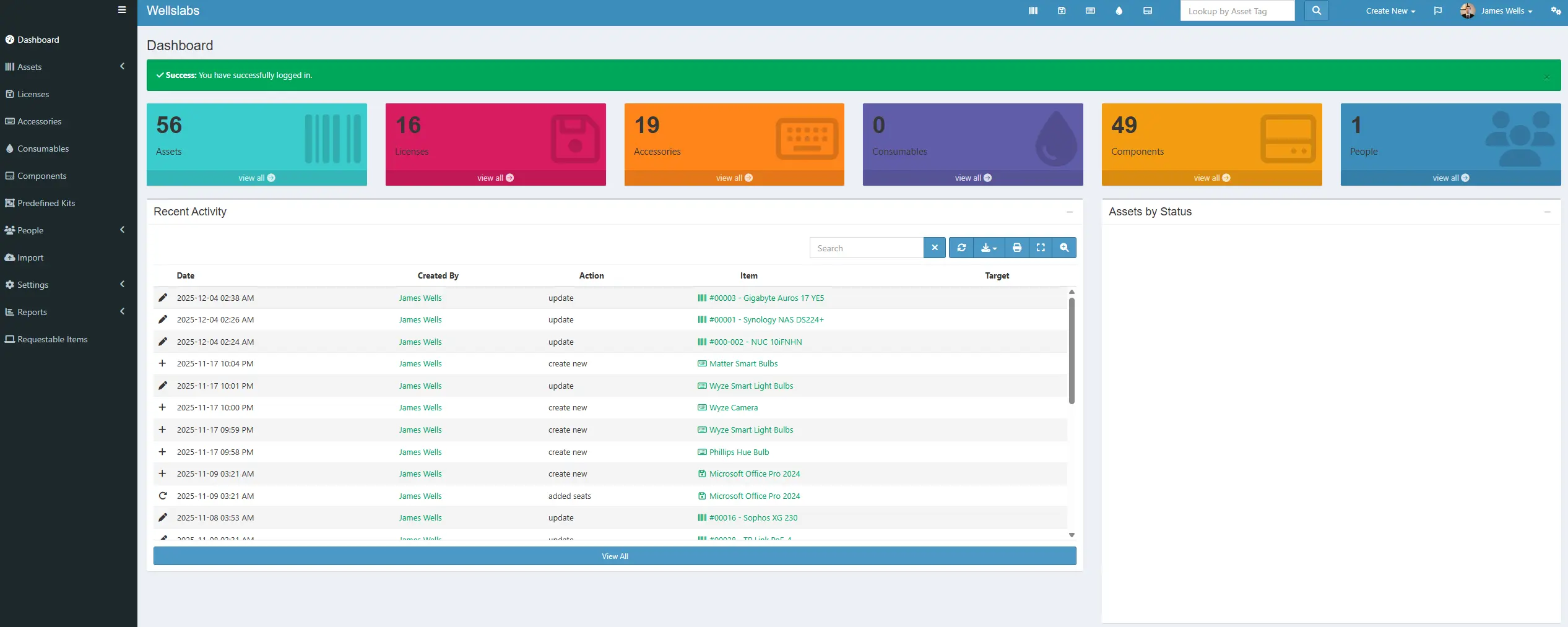
The name Snipe-IT made me think it was more of a helpdesk solution, but once I opened it up and began learning what it had to offer, I realized that it was almost perfect for what I needed. It does have some features that I am not currently using, but I won’t have a lab without it now that I have started using it. After signing in, you are greeted with a dashboard that displays some information about your inventory.
Licenses
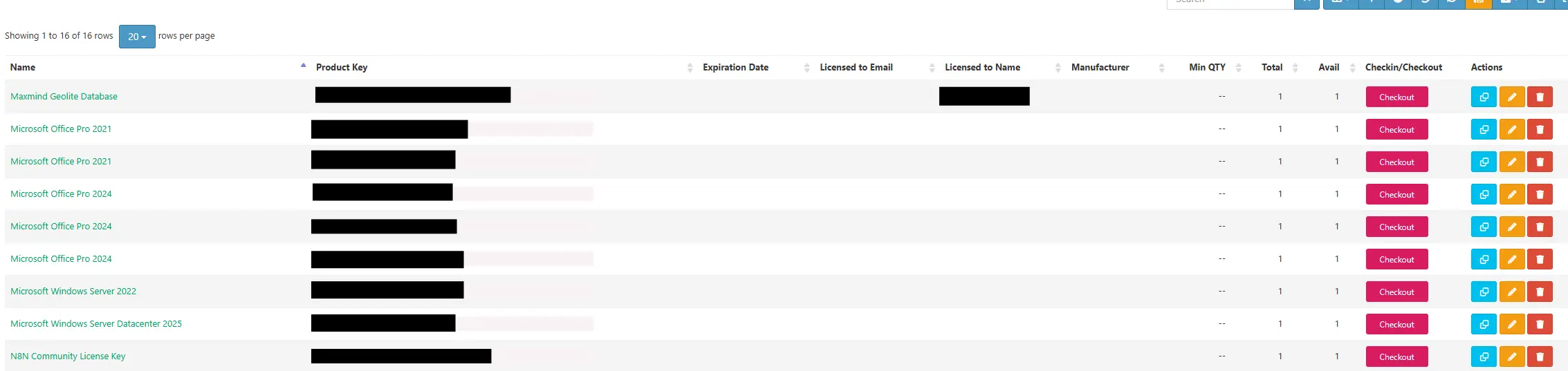
I like that I can enter in my product codes and store them all in a centralized repository on the licenses page. It allows you to easily find product keys and if they are licensed to an email or username. This is especially useful for products similar to Adobe products that are licensed to an email. You can also check them out and back in so that you always know which product keys are in use.
Accessories
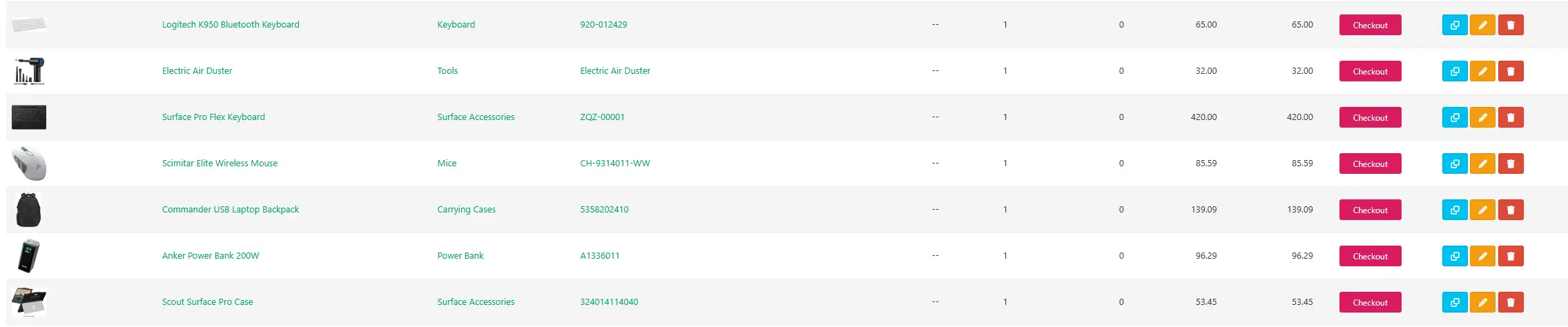
Then on the accessories page, you can keep an inventory of all the accessories you have and details about them such at model number and location of the devices. One thing that I like about Snipe-IT is that you can enter and keep track of the price of items purchased. This helped me to realize how much money I was spending and keep it under control.
Components
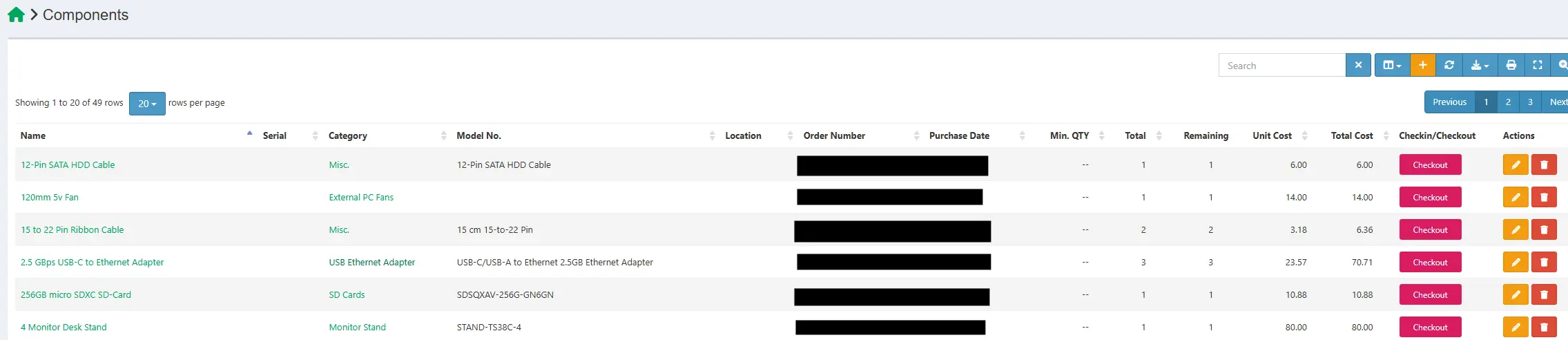
On the components page, you can keep track of all the components that you have purchased. Another thing that I like about Snipe-IT is that you can document the order number and purchase date. You can also keep track of how many of an item you have total and how many are remaining that have not been checked out.
Custom Fields
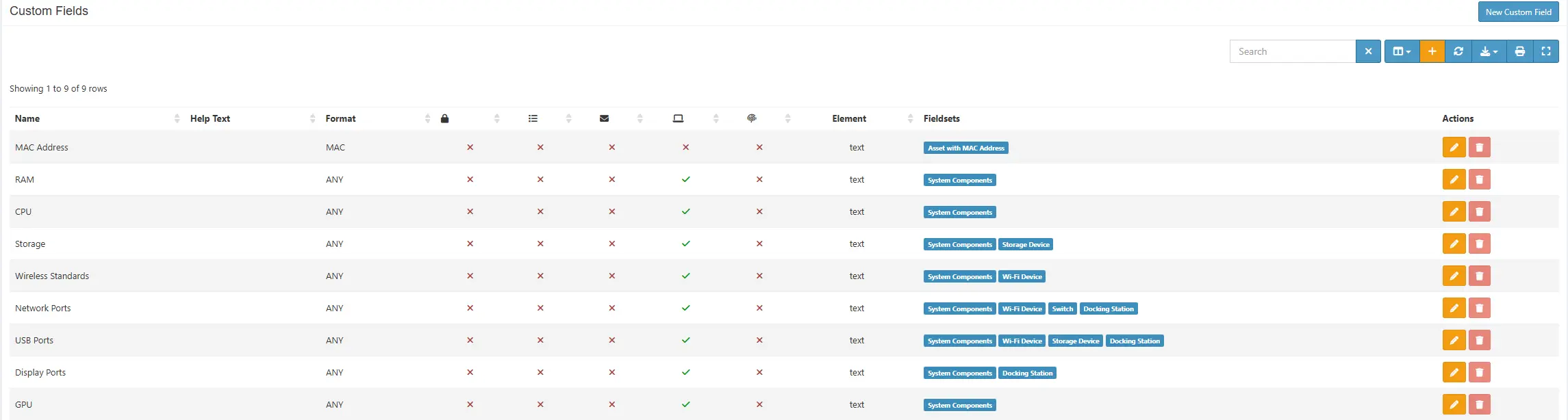
It takes a little bit more work to document the assets though. First, you need to create a list of the manufactures and suppliers. Then you need to create the custom fields that you want to apply to the assets, for example I added fields for the system specs like RAM and CPU. You attach these fields to field sets that groups them together and allows you to attach them to individual asset models.
Assets
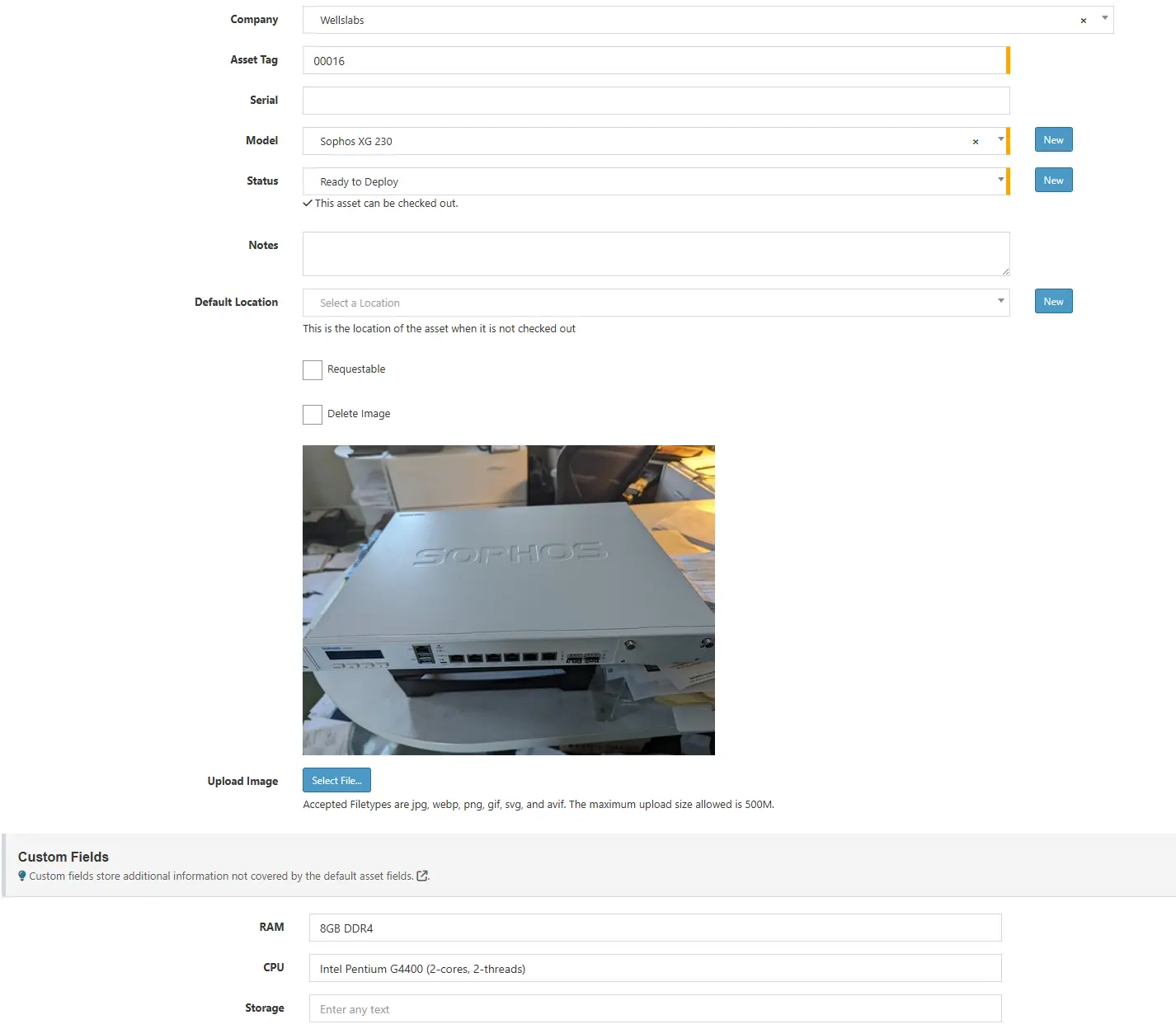
Then, you create a listing of the models of your devices. These are not the assets themselves, but a way for you to enter this information and tie it to multiple assets if necessary. When creating the assets, you give it an asset number and fill in the other fields for that item. You don’t have to fill in all of the fields or attach a picture, but I think it helps if someone else were to inherit my system or if it has been a long time since I used a specific asset.
Settings
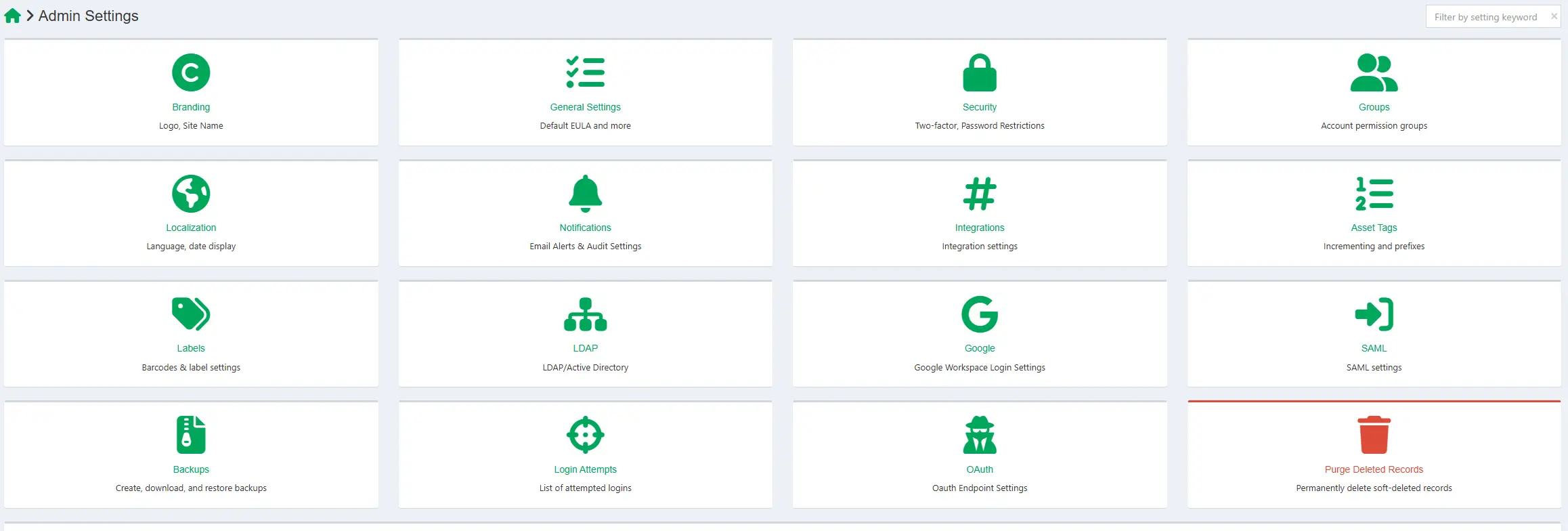
In the settings, you can change the branding for the site to make it unique for your organization. It also includes LDAP/Active Directory login. This feature is great for most organizations because you can limit the amount of information users can see based on predefined Active Directory roles. Users can only see their devices or helpdesk could only see the items, but not create new ones. It also supports federation by Google Workspace or SAML.
Labels
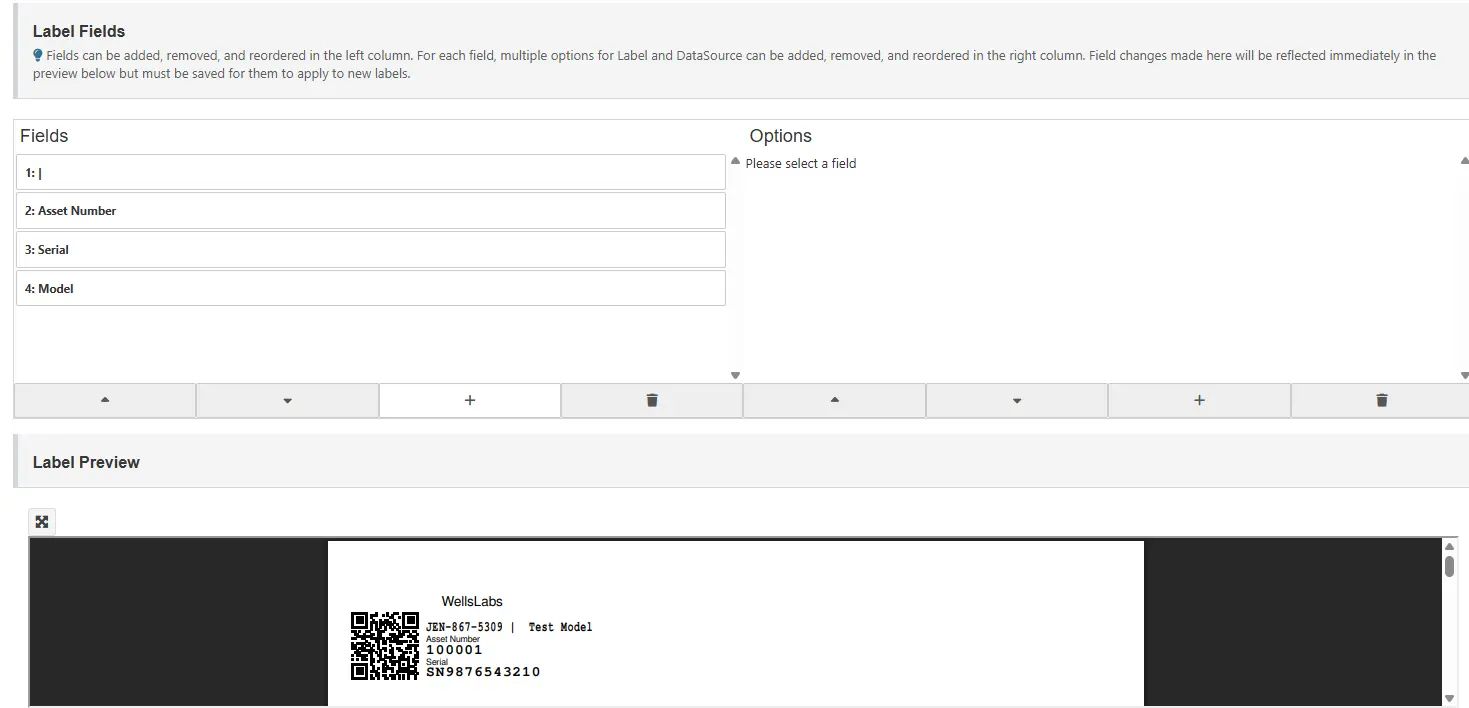
One of the things that led me to Snipe-IT was the asset tags. I had used Homebox for a little while and it worked alright, but was not made specifically for IT. Snipe-IT allows me to print asset tags that include a QR-code. This allows me to quickly scan the tag and find all relevant information about that item. I can scan a laptop and tell exactly when I purchased it, the price, and the system specs for that device. The labels can also be customized with fields to make them unique for you company. I chose to include the model and serial number for quick lookup.
Reports
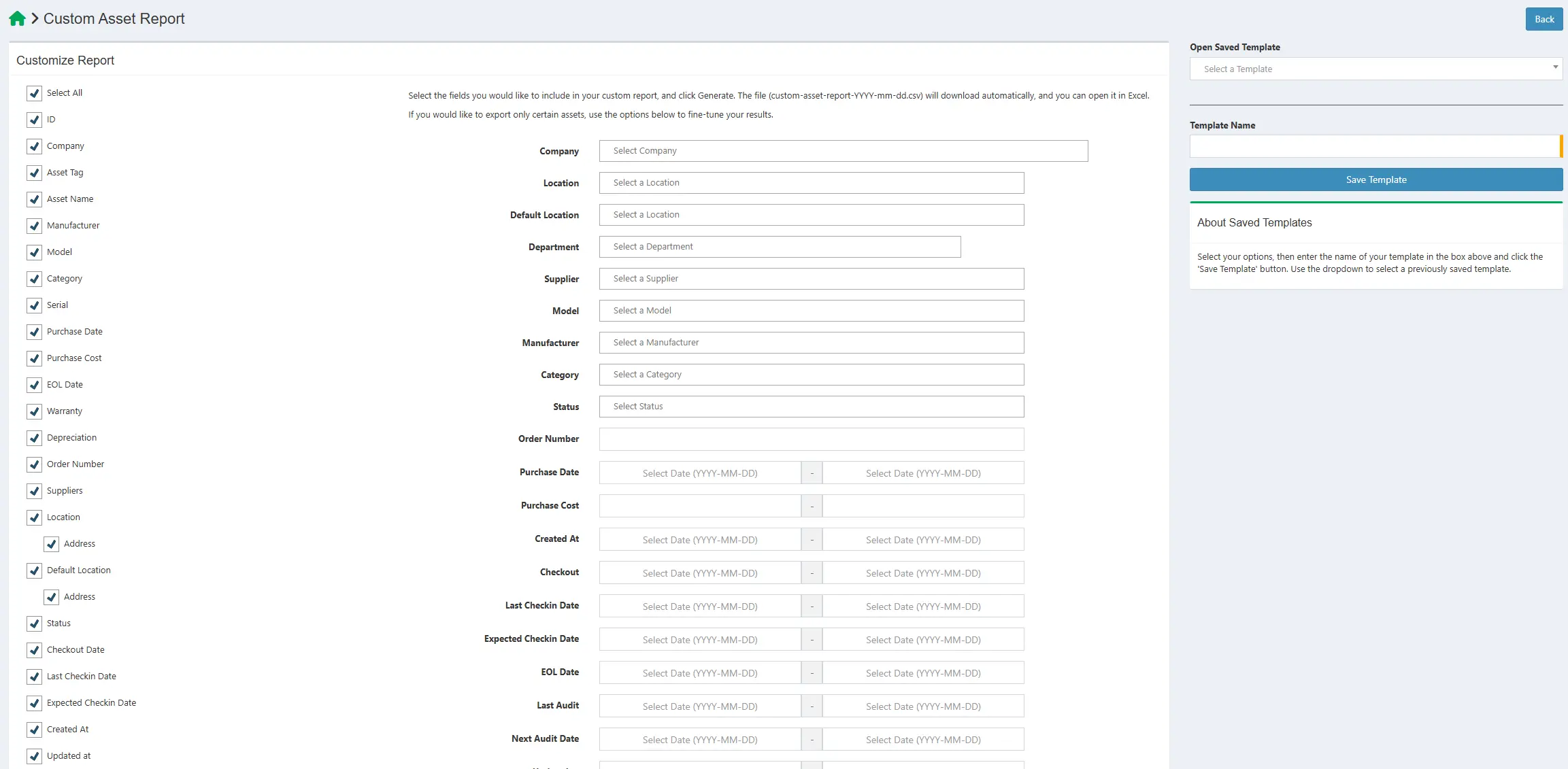
I still have a lot of information to enter into Snipe-IT because I started using it after I purchased a few years worth of equipment, but once I finish, it will be a comprehensive inventory of all of my IT equipment. It also provides the abilty to run reports. This was big for me because it really put my spending into perspective and help me to realize that I might have an “addiction” to technology.
Conclusion
Overall, I would recommend this system to anyone that has more than a few assets that they want to track. I use it for my lab and family, but it would be even more useful for small to medium businesses.